AI Desktop Pet
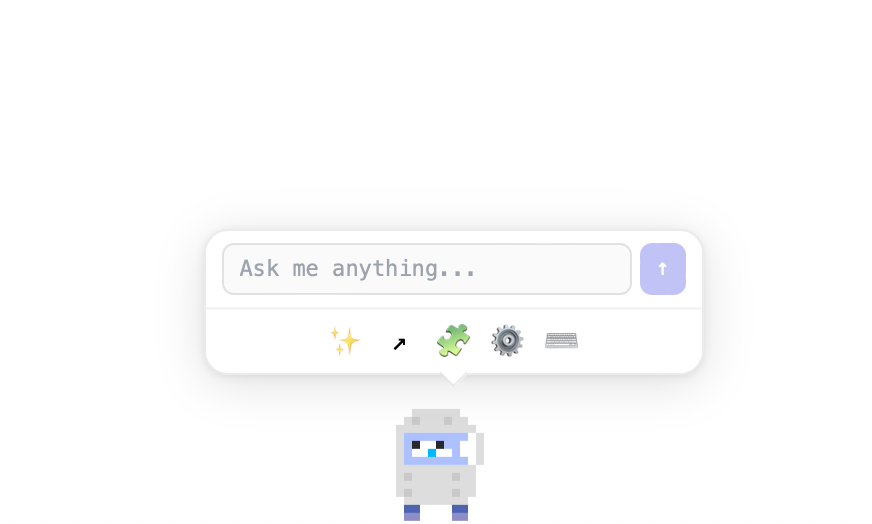
A tiny AI companion that lives on your desktop. It walks, jumps, sleeps, and chats — powered by the LLM of your choice.
Installation Instructions
- Open the downloaded .dmg and drag the app to Applications.
- Right-click (or Control-click) the app and choose Open.
- Click Open in the dialog that appears.
macOS may warn about unidentified developers. Right-click → Open bypasses this for the first launch.
Pick Your Companion
Choose from Sheep, Cat, Dog, or Clippy. Your desk pet lives on your screen with lifelike physics — walking, jumping, sleeping, and waving.
Chat with AI
Talk to your pet using Ollama, OpenAI, or Claude. Get answers in a speech bubble or a full chat panel — your pet reacts with emotions as it responds.
Fully Interactive
Move your pet with WASD, drag and toss it around, or let it roam on its own. Double-jump, moonwalk, and run across your desktop.
Make It Yours
Apply color filters like Rainbow, Sepia, or Invert. Set personality modes from Friendly to Pirate. Switch characters and models anytime.
Pomodoro Timer
Built-in focus timer with work and break sessions. Get desktop notifications when it's time to take a break or get back to work.
Calendar Integration
Connect your Google Calendar to see upcoming events and countdowns right on your desktop, color-coded by urgency.
Window Awareness
Your companion detects open windows and interacts with them using physics. It walks on top of your apps and bounces off window edges.
Privacy First
Run everything locally with Ollama, or connect to OpenAI or Claude. Your settings and data stay on your machine.
Installation Instructions
- Open the downloaded .dmg and drag the app to Applications.
- Right-click (or Control-click) the app and choose Open.
- Click Open in the dialog that appears.
macOS may warn about unidentified developers. Right-click → Open bypasses this for the first launch.
